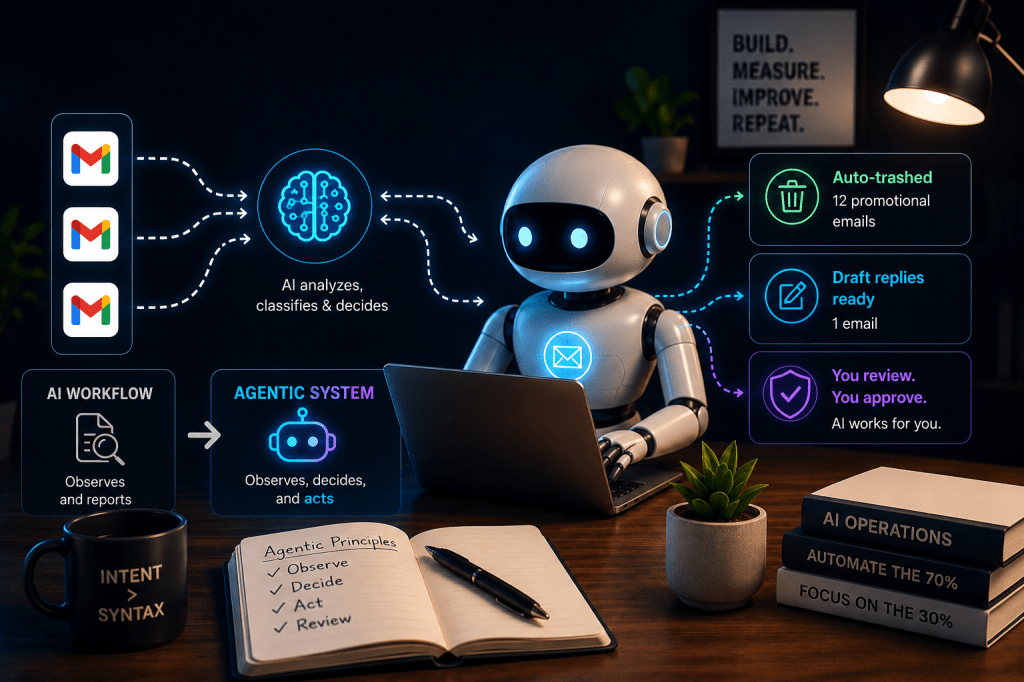
Last week in Vibe Managing 401 I showed you how I expanded my AI email classifier from a single mailbox to a multi-mailbox flow connecting my 4 mailboxes to give a single daily brief.
It worked great as most of the kinks were already taken care of earlier with my single mailbox brief run however, at the end of the day this was still just classifying & letting me know which mails required action but I was the one still taking actions.
So, this weekend I decided to upgrade my AI workflow to an Agentic system – so that it works for me, reducing my effort & saving me more time.
AI Workflow vs Agentic System
Before I tell you what I have done let me quickly explain what’s the difference in AI workflow vs an actual agentic workflow.
An AI workflow observes and reports. You act.
An agentic AI system observes, decides, and acts. You review.
The brief I built last week was a workflow. It was essentially a smart summarisation pipeline. Input goes in, formatted output comes out. No decisions made, no actions taken.
What makes something agentic is the AI taking actions in the world on your behalf, not just telling you what’s there, but doing something about it.
So let’s see what I did & how I did it.
Spoiler alert: The difference is smaller in code than it sounds in theory.
The features that made my workflow truly agentic
Feature A: Auto-trash Promotional Emails
All of us suffer from spam emails & most of us do not regularly delete them either.
Result your mailbox is crowded with spammy emails – for me personally one of my mailboxes has 40K emails now and over 80% of them would be spams or OTPs and god knows what else.
So when I decided to have AI do the work for me the first thought I had was at least going forward let’s ensure the promotional mails get deleted immediately.
So now every morning after the brief runs, the script makes a second call to Gemini.
This time the prompt is different — it doesn’t ask for a formatted brief. It asks: “Which of these emails are clearly promotional? Return their IDs as a JSON list.”
Gemini returns a list. The script then calls Gmail’s trash API for each ID.
No human involvement. Emails are gone from the inbox before I even open the brief.
In test phase I restricted this to my one Personal mailbox as that’s the one where losing an email wouldn’t hurt and I chose “Trash” rather than permanent delete deliberately so that the emails are recoverable.
The AI makes the first decision, I retain the final one.
This morning: 12 promotional emails trashed automatically.

Feature B: Auto-Draft Replies for Action Required Emails
Now while I took care of the spam, for action required emails I was still having to reply myself.
I thought if this has to become a true assistant then it should be keeping replies ready for me which I can approve & send immediately.
This one took some work but is super helpful as I don’t have to think of replies from scratch.
For every email in my mailbox that the script identifies as requiring a response, it now:
- Fetches the full email body, not just the snippet
- Sends it to Gemini with my brand voice embedded in the prompt
- Saves a draft reply directly in the respective mailbox’s Drafts folder
The draft is never sent automatically. That’s a hard rule. The agent composes, I approve.
The brand voice prompt wasn’t written from scratch.
I fed Claude 10 real emails I had previously sent (dependent on mailbox) and asked it to extract the patterns — tone, structure, greeting style, sign-off format, how I handle complaints vs rule enforcement vs mediation.
That became the voice profile embedded in every draft generation call.
This morning: 1 action required email had draft replies waiting in Drafts before I opened Gmail.
You may ask why only 1 looking at below screenshot but that’s because I have again restricted this to a single mailbox where most of the emails requiring responses are received.
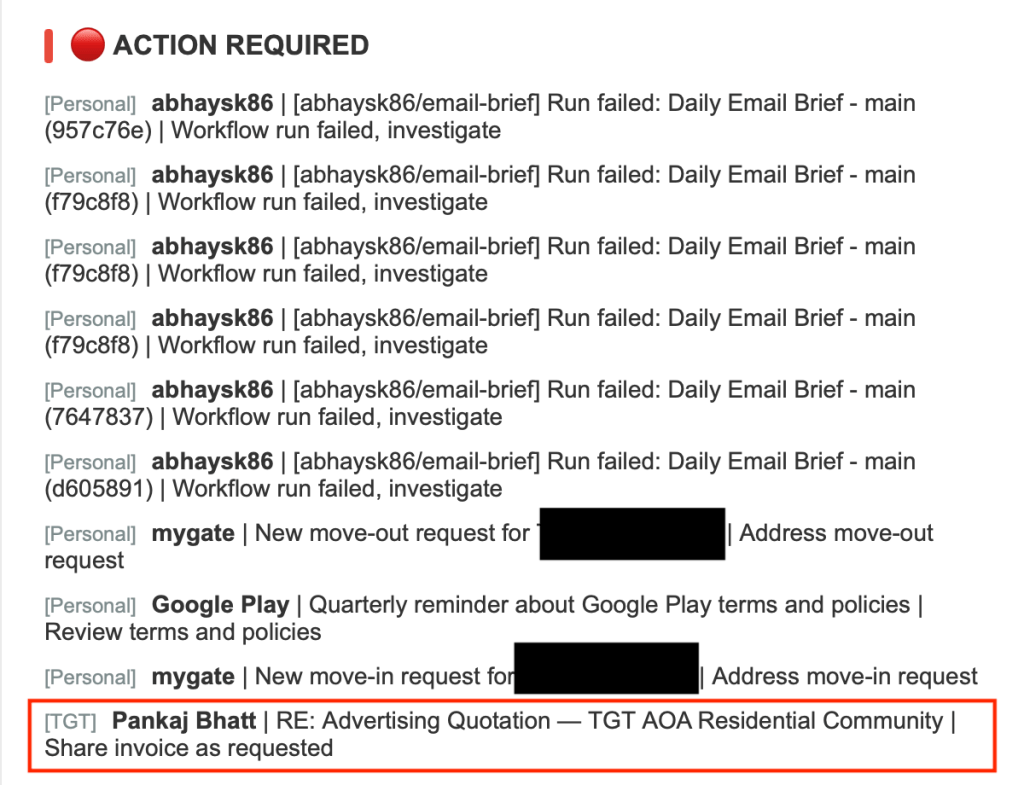

Is the draft perfect: No, I will be doing a lot of tweaking over the coming days before I receive drafts that don’t need any edits.
But for now at least I receive a first workable draft which I can edit & send instead of starting from “Hi, Thank you for your email.”
As usual — Things that broke & lessons learnt!!
This build had more failures than last week. Here’s the honest log.
Scope error on Gmail API
Adding the trash feature required a new permission — gmail.modify — that wasn’t in the original OAuth setup.
The existing refresh tokens didn’t have this permission so every run failed with invalid_scope: Bad Request.
Fix: updated the scope in the script, revoked all 3 existing tokens via Google account permissions, regenerated fresh tokens. Twenty minutes of work that could have been avoided if I had planned all required scopes the first time.
Lesson: when building with APIs, define all the permissions you’ll ever need before you generate your first token. Adding scopes later means regenerating everything.
There is another embarrassing lesson learnt here which I may share in future — for now suffice to say it was human ignorance rather than code failure.
Indentation errors from incremental edits
Python is strict about indentation. GitHub’s web editor is not forgiving.
After several rounds of small edits — add this function here, change this block there — the indentation got misaligned in two different places and the script kept failing.
Fix: stopped doing incremental edits entirely. Replaced the whole file at once with a clean version. No more partial edits.
Lesson: for Python scripts, always edit the complete file. Surgical edits in a web editor create invisible problems.
503 Service Unavailable from Gemini
On the first run with draft generation, Gemini returned a temporary 503 error mid-execution. The script crashed.
Fix: ran the workflow again. It passed immediately.
Lesson: external API calls fail sometimes. It’s not always your code. Run again before debugging.
Draft replying to wrong message in a thread
The script fetches the full email body including the entire thread history. For one email, Gemini drafted a reply to the first message in the thread rather than the most recent one.
Fix: added one line to the prompt — “reply only to the most recent message at the top of the thread, not to older messages further down.”
Lesson: Gemini does what you tell it. If the output is wrong, the prompt is usually the problem. Be explicit about what you want. TITO — Trash In, Trash Out.
Same principle applies to AI prompts as it does to data quality.
What the morning looks like now
8:01am — brief arrives. Promotionals already trashed. Drafts already waiting.
I open the brief, scan Action Required, open Gmail, review the drafts, edit where needed, send what’s ready.
Time from brief to inbox zero on what matters: under 10 minutes. Two weeks ago this took 30-40 minutes across 4 inboxes with no AI involved.
The Final Word
This would be the last edition of the Vibe Managing series — not ending the newsletter, just closing out this build series on email management.
This journey started when I decided to write about the shift of using AI just for Vibe Writing to Vibe Managing, then I thought I should build a framework on how non-technical people like us truly use AI to do vibe managing (101).
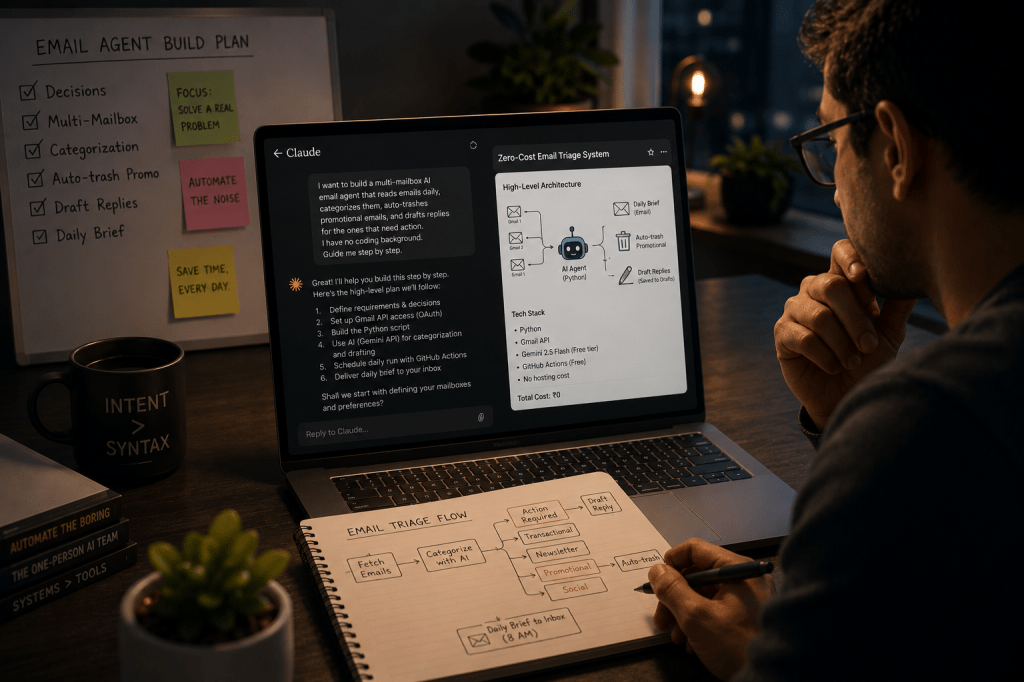
That led to me applying the principles & building an actual workflow using Claude scheduled tasks & my connected emails which I talked about in 201.
It taught me a lot about actually working with AI to build something & I shared my learnings in 301.
Then I upgraded myself from using pre-built AI workflows to actually vibe-coding one & expanded that single workflow to a multi-mailbox brief (401).
Now, in this final edition of the series I have shown you how we move from AI to agentic workflows & how we manage these agents — essentially building myself a digital assistant managing my mailbox for me.
That’s the transition I keep writing about. Not AI replacing the ops leader.
AI handling the volume so the ops leader can focus on the decisions that actually require a human.
The inbox is a small example. The same logic applies to any process where 70% of the work is routine and 30% requires judgment. Build the agent to handle the 70%. Protect your time for the 30%.
That’s not theory. I did it in 3-4 weekends with no coding background.
You can do it maybe in one weekend if you are more adventurous & want to jump directly to agentic.
Found this useful? I will continue sharing practical strategies for operationalising AI in future editions of The Abhay Perspective. Subscribe below and to my LinkedIn newsletter for future updates.
If you want to explore how any of this applies to your context, let’s talk. https://theabhayperspective.com/work-with-me/





Leave a Reply