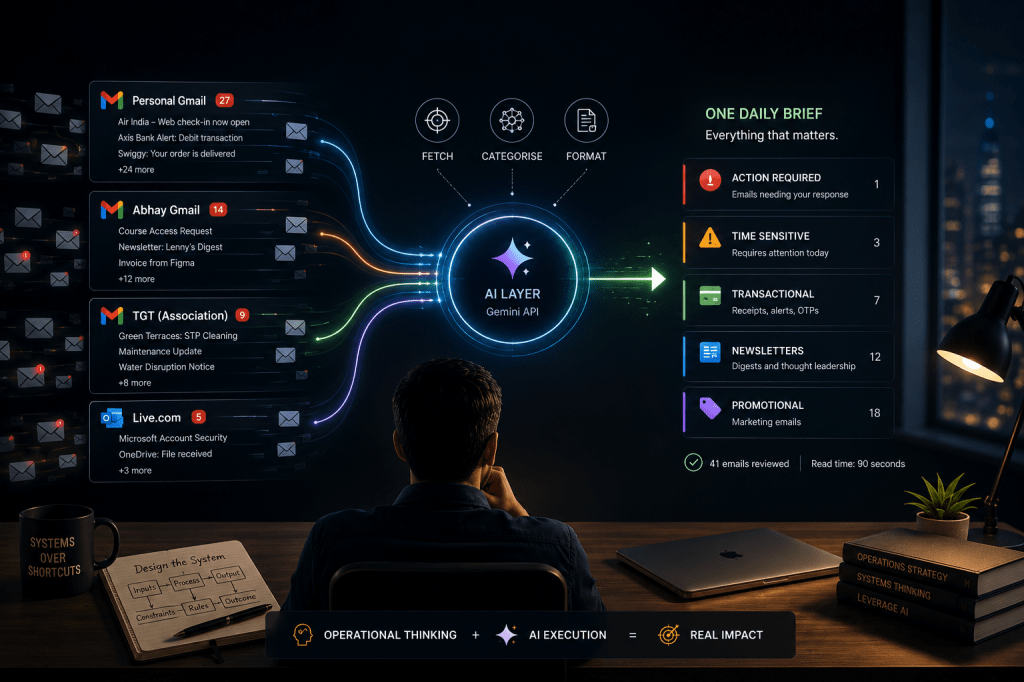
I had four inboxes. The brief fixed one of them.
Last week I showed you how I built a daily email brief for my personal Gmail using Claude’s Cowork feature. Instead of sorting through twenty-odd emails every morning, I read one consolidated brief and go directly to the two or three that actually need a reply.
But like most people, I don’t have just one mailbox. I have four.
- A personal Gmail.
- A second Gmail I use for specific purposes.
- A third Gmail tied as part of my apartment association.
- And a Live.com account I’ve had for years that still gets important mail.
The single-mailbox brief was useful. But every morning I was still opening three other inboxes manually. Once I saw what was possible with one mailbox, I wanted the same for all of them.
One brief, everything in one place.
To Pay or Not to Pay
My first instinct, and Claude’s first suggestion, was to use a no-code tool. n8n, Zapier, Make. These platforms exist exactly for this kind of workflow. Connect your accounts, set a schedule, done.
Then the Program Manager in me asked a question I couldn’t ignore.
Why pay a monthly subscription to run something that executes once a day for thirty seconds?
I’ve spent enough time in operations to know that recurring costs compound. A tool you pay for every month, for a task that takes seconds, is a poorly designed solution.
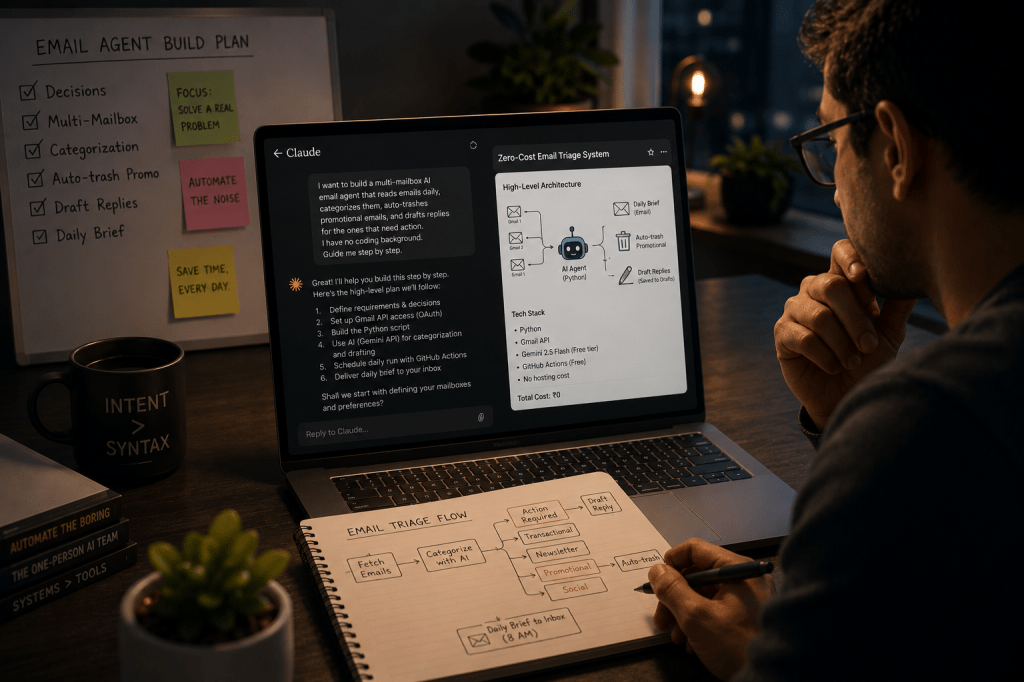
So I went back to Claude and asked: is there a way to build this for zero ongoing cost?
Turns out we could!
What We Built and How
The solution: a Python script hosted on GitHub that runs automatically every morning, reads all four mailboxes, sends the emails to Google’s Gemini AI for categorisation, and delivers one consolidated brief to my inbox.
Total ongoing cost: Rs. 0.
The best part i didn’t write a single line of code myself. Claude generated everything based on my requirements.
Let me walk you through what this actually involved. Not the code, but the decisions and the journey.
The tools:
- Python — the scripting language that connects everything together.
- Gmail API — Google’s official way to let an authorised application read your emails. Think of it like giving a trusted assistant a key to your inbox, but one that can only read, never delete.
- Google Cloud Console — where you register your app with Google and get the credentials that prove you’re allowed to access those Gmail accounts. Three Gmail accounts meant one set of credentials, three separate authorisations.
- Gemini API — Google’s AI, called via a direct connection rather than through any paid third-party tool. This is what reads the emails and categorises them.
- GitHub — where the script lives and runs automatically every day on free cloud infrastructure.
The build journey:
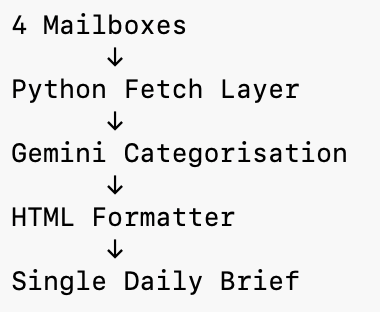
- First, registering the project on Google Cloud and enabling the Gmail API — essentially telling Google “this app exists and it needs email access.”
- Then authenticating three Gmail accounts. Each needed to separately authorise the app and generate a refresh token — a permanent permission slip so the script doesn’t need to log in every time.
- The Live.com account couldn’t be connected directly — Microsoft deprecated personal account app registrations. Workaround: forward all Live.com emails to one of my Gmail accounts. Done.
- From there the pipeline is straightforward. Fetch emails from the last 24 hours across all accounts, label each by mailbox, send to Gemini for categorisation, deliver the brief to my inbox.
Sixty seconds start to finish.
What I did vs what AI did:
AI wrote the syntax. I made every structural decision.
- Which accounts to connect.
- Which labels to use.
- What categories the brief needed.
- How emails should be formatted.
- Where credentials should be stored securely.
- Which AI model to use and why.
- When the script should run.
These aren’t coding decisions. These are operations decisions. And that’s exactly the skill set I’ve been building for twenty years.
The Unexpected “Free” Blocker
Here’s something worth knowing about AI APIs: free doesn’t always mean free.
Google’s Gemini API has a free tier. 1,500 requests per day at no cost. More than enough for one daily email brief.
But when you connect an API key to a billing account, Google sometimes zeros out the free tier quota entirely, expecting you to pay per call instead.
We hit this wall. Twice.
The fix was counterintuitive: use an API key with no billing account attached. The moment we switched, everything worked.
The lesson: in AI infrastructure, more setup doesn’t always mean more access. Sometimes the simplest configuration is the most powerful one.
What the Output Looks Like
Every morning at 8:01am I receive a single email with a dark navy header, the date, and a count of emails reviewed across all four mailboxes.
Below that: everything categorised.
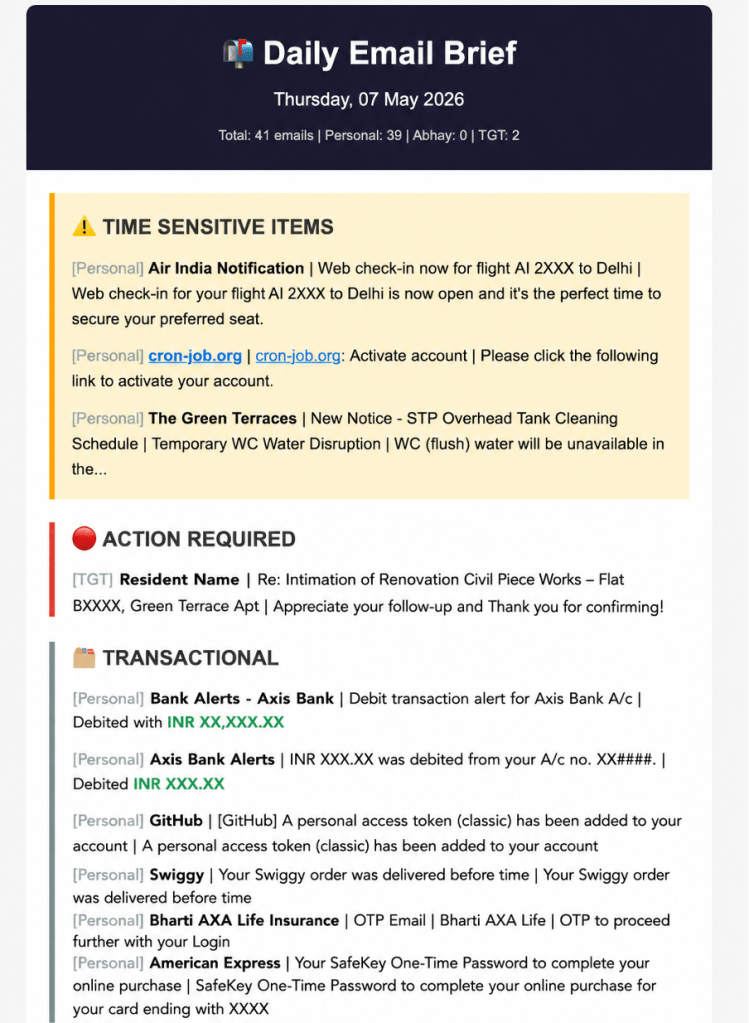
Each email shows its mailbox label, [Personal], [Abhay], [TGT], so I know the context before I read a single word.
41 emails reviewed this morning. Read time: ninety seconds.
The Real Shift
I am not a developer. I want to be clear about that. But I am someone who understands systems, constraints, and outcomes.
And in 2026, that combination — operational thinking plus AI tools — is enough to build things that would have required a developer two years ago.
The question I keep asking myself isn’t “can I code this?” It’s “can I architect this clearly enough that the AI can code it for me?”
So far, the answer keeps being yes.
Found this useful? I will continue sharing practical strategies for operationalising AI in future editions of The Abhay Perspective. Subscribe below and to my LinkedIn newsletter for future updates.
If you want to explore how any of this applies to your context, let’s talk. https://theabhayperspective.com/work-with-me/





Leave a comment