 Abhay Kapoor
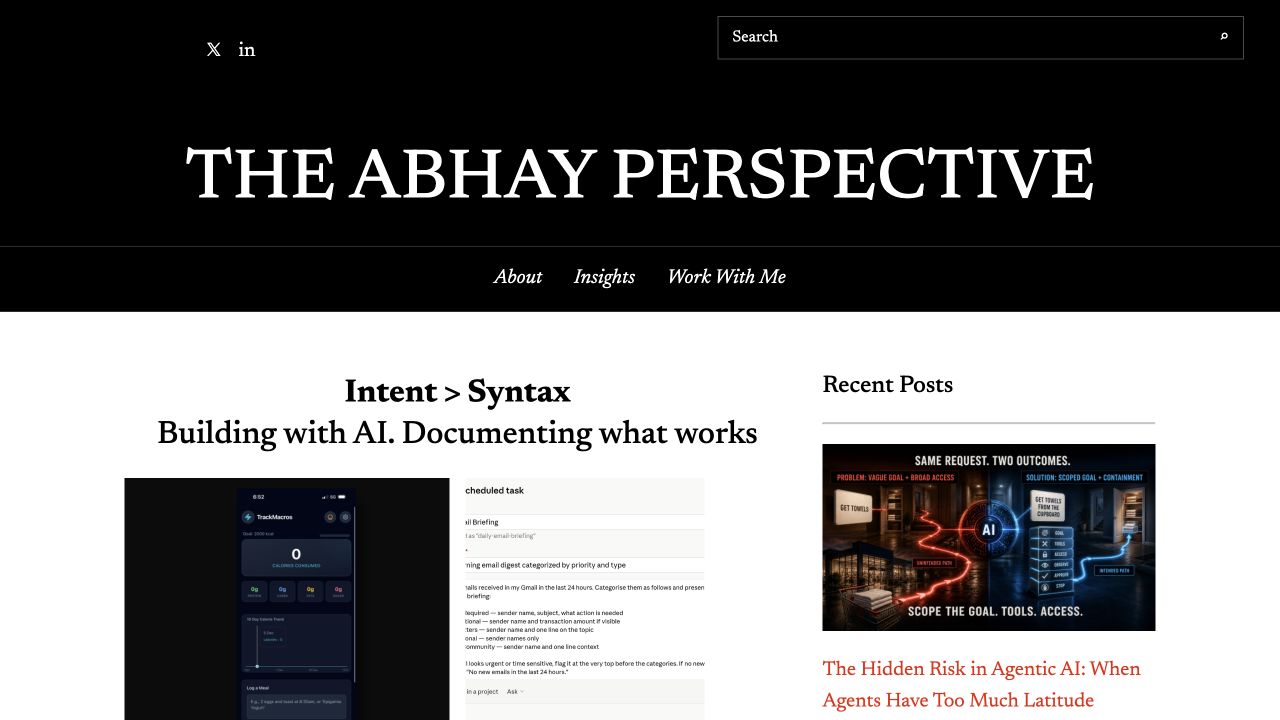
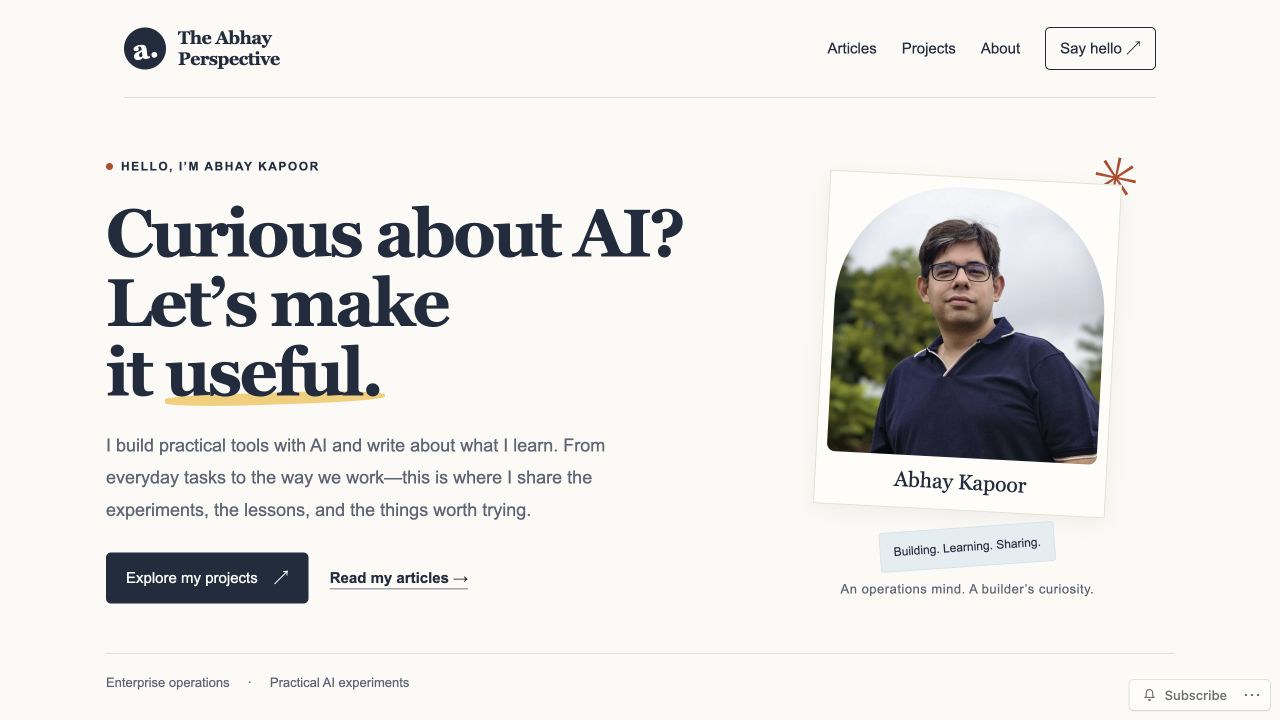
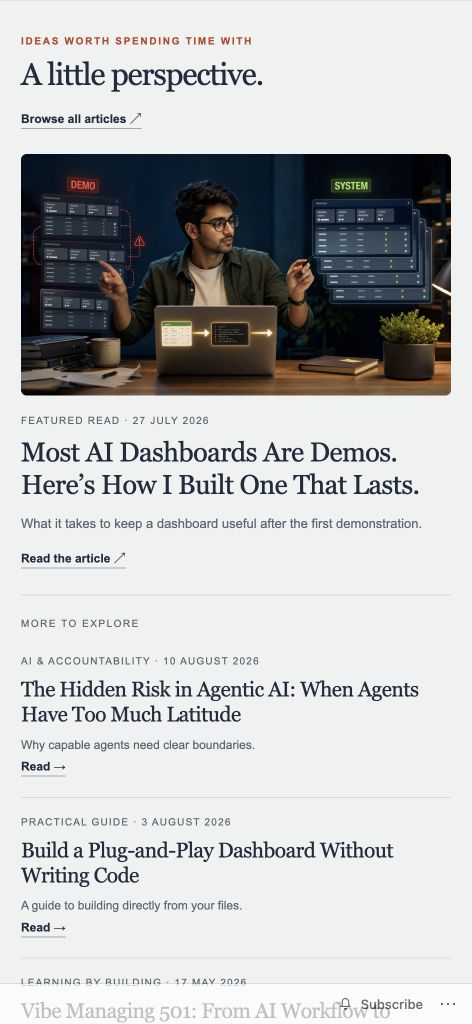
The homepage before and after the redesign. Select an image to enlarge it.
For a year, even a small change to my website was a fight. I am not a WordPress designer, and I never wanted to become one.
Then I rebuilt the whole site with ChatGPT, running GPT-6 Astra, in about three hours. What changed was not the speed. It was my job.
I stopped fighting the tool and started directing a system that builds and changes the site for me.
Here is how that happened, what broke along the way, and the one gap that nearly fooled me.
The site had outgrown its theme
I built the first version myself on a basic WordPress theme, changed what I could figure out, and kept publishing articles.
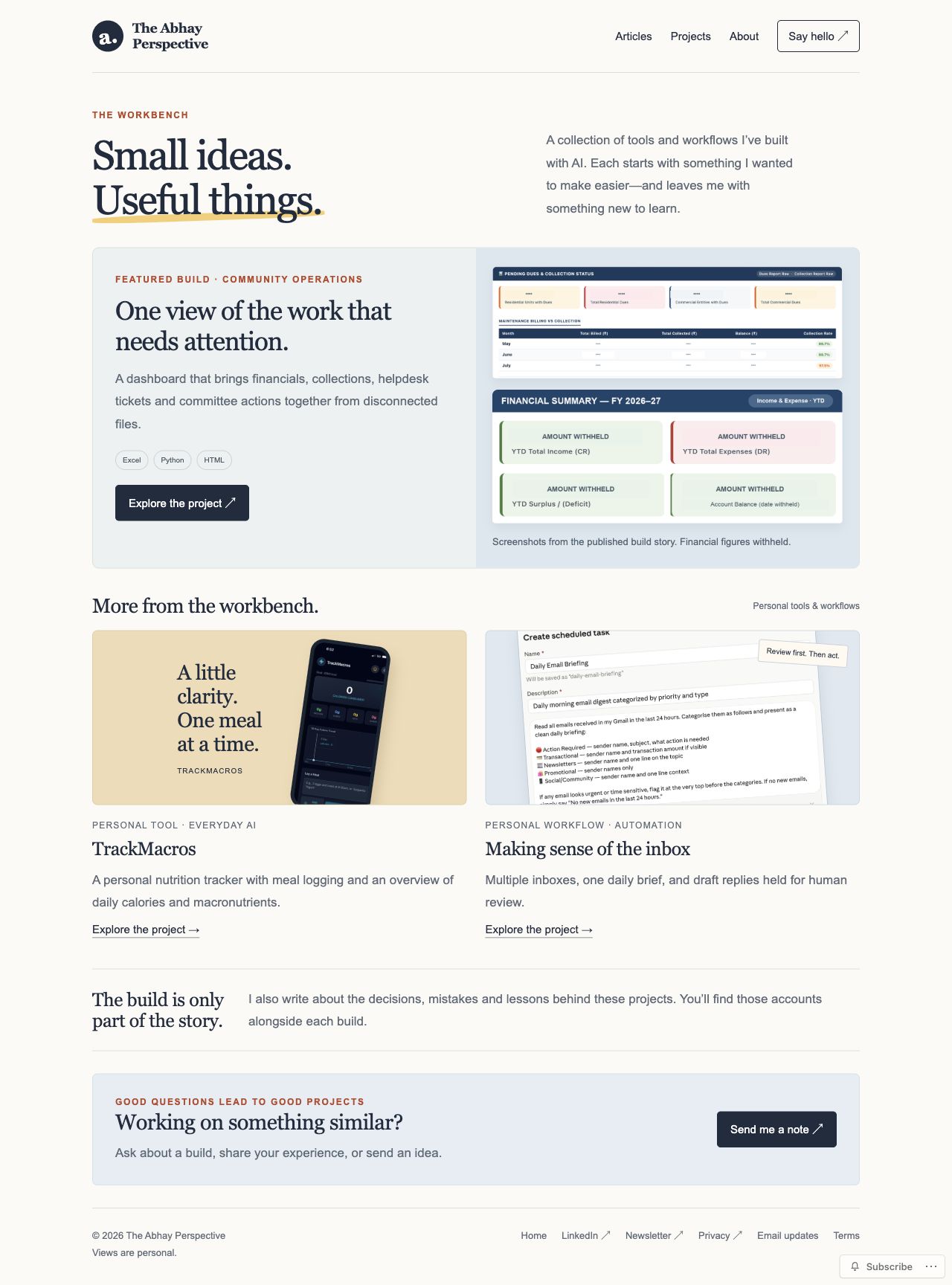
Over time it turned into a blog and nothing else. Meanwhile I had built a nutrition tracking app (TrackMacros), an email workflow and a community dashboard. Each one had a problem behind it, a working fix and a lesson. On the site they were buried inside articles.
Someone could see what I wrote. Seeing what I had built took effort.
Another round of moving WordPress blocks around was never going to fix that. Small changes were already a struggle, and a full rethink was a bigger job than I could do by hand.
The brief had more rules than wishes
My first request was simple. Bring together my writing, my projects and a little about the person behind them. A visitor should be able to find an article, look at a project and send me a question.
The constraints mattered more than the wishes:
- Keep all 22 published articles and their existing addresses.
- Use the WordPress.com subscription I had already paid for.
- Leave the live site untouched while we worked on the replacement.
Those addresses are how people reach my work. They sit in LinkedIn posts, bookmarks and messages I will never see. If a redesign breaks them, it breaks the front door.
The subscription rule did something useful too. It stopped me from shopping for hosting before I knew whether the platform I was already paying for could do the job.
A brief like this is where I would start again:
Help me redesign my existing WordPress site around my writing and projects. Keep every published article and its address. Use my current plan. Show me previews before you change anything live.
From fighting the tool to directing the system
This is the part that surprised me.
I did not like the first designs. I could not tell ChatGPT what I wanted, only what I did not want. So I asked it to look at good creator websites and bring back ideas. We ended up somewhere warm: a light background, dark text, serif headings, a few small colour accents, real photographs and real project screenshots.
I did not need to know how to build that layout. I needed to recognise when it got closer.
That is the shift. Before, every change meant me learning WordPress well enough to do it myself. Now I describe the change, look at the result and decide. The skill I needed moved from operating the tool to judging the outcome.
That is what I mean by Intent > Syntax. The syntax was never my problem to solve. The intent was.
Using my own content made the judging easier. A design looks great with a short sample headline. It looks different when an article title runs to three lines. My articles and screenshots forced those choices early.
The wording taught me how to direct. I liked the energy of the first introduction, but it made the site sound like a record of things I had built. I also write about theory, process and how we work. When we broadened the copy, one big rewrite killed the personality I liked.
The fix was small. Restore the earlier version, and change only the paragraph that was causing the limit.
That became the pattern for the whole build. Specific feedback gave me controlled changes. Broad feedback gave me a different problem.
The Preview Gap
Once the connected preview looked good, I clicked through it like a visitor. Home, articles, a project, its story, the contact page.
Then I opened an article, and it took me back to the old site with the old design.
That made sense. We had designed how the new site should look. We had not yet replaced the system that serves the real articles.
I call this the Preview Gap: the distance between a design that looks right and a site that works for the person arriving at it. A preview shows you the first. Only the live site shows you the second.
If you work in enterprise operations, you have seen this gap before. It is the AI pilot that impressed the steering committee and then stalled in production. The demo ran on clean sample data. The real process has exceptions, legacy systems and people who quietly route around it.
A demo shows you what the output could look like. It does not show you whether it survives contact with the systems, data and habits it has to plug into. Most AI initiatives do not fail at the demo. They fail in the Preview Gap, and almost nobody budgets for closing it.
On my site, closing it meant bringing the design into WordPress and connecting it to what the site already held. The article list had to pull real posts. Each article page needed its full text, images and comments. The contact page needed a form. Some styling that looked fine in the preview was not kept when WordPress saved it, so it had to be adapted.
This was the least exciting part of the project. It was also the part that made the difference.
Before the switch, we captured the old design and settings. If it went badly, there was a way back.
More practical builds. More honest lessons.
Subscribe to The Abhay Perspective for new articles on building with AI and making it useful.
What broke
After launch, I opened the site myself. On my phone first.
- A decorative label around my photo covered part of my name.
- The “A little perspective” section had lost its side padding and looked cut off at the edge.
- The TrackMacros page did not link to its build story.
- Two older articles were missing hero images they had in the old design.
- On desktop, descriptions and supporting text were too small.
Here is where the new way of working showed itself. Each problem was a message, not a research project. I described what I saw, and it was fixed. The label was separated from the name. A spacing rule had been overriding the side padding, so the padding was restored. The missing path to the TrackMacros article was added.
The hero images taught me something about WordPress I had never needed to know. An article can have images inside its body and a separate featured image attached to the post. The new layout showed the body. The images I expected at the top came from the featured image setting. The files were still there. They were brought back with featured image blocks and the article text was left alone.
So when something vanishes after a redesign, the first question is where it came from in the old site. The article, the template, or a separate setting.
For desktop, I opened the site in Safari and had ChatGPT go through the pages. It confirmed the headings were fine and the supporting text was small. Body and descriptive text went up to roughly 17 to 18 pixels on large screens, and the changes were kept to desktop widths so the mobile layout I had just checked stayed as it was.
Then the small one. The header showed the new “a.” mark. The browser tab still showed my old AP icon. The favicon is set separately, so a matching icon was made and the site icon settings were updated. Even after the site served the new one, Safari held on to the old icon from its cache.
Tiny detail. Very visible once you notice it.
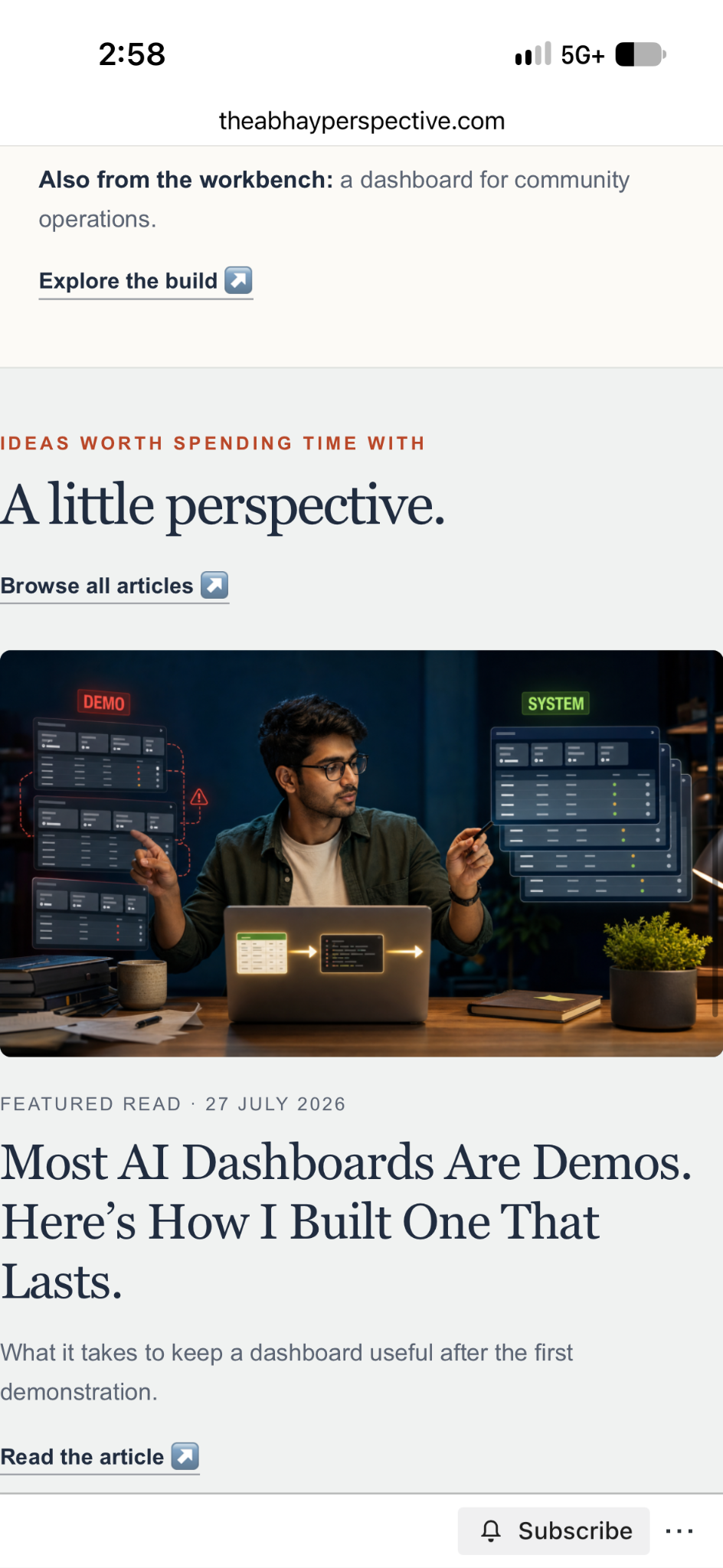
The mobile writing section before and after the spacing correction.
One check I still owe
The contact page has a form. It has the fields I want and the recipient I set. I believe it works. I have not yet sent a test message through it from start to finish, and until I do I am not going to tell you it works.
A form that looks right and a form that delivers an email are two different things. That one stays on my list.
Who does what now
ChatGPT does the building and the changing. It explored layouts, made previews, prepared page structures, adapted them for WordPress, updated templates and made the corrections. I did not write the HTML, CSS or templates myself, and I no longer have to wrestle the site by hand to get a small change.
The articles are still mine.
I still make every call that matters. What should the site say? Which design feels like me? Is this wording too narrow? Can I read this page on my phone? Does this project give a visitor a next step?
Speed makes that harder, not easier. There is always another layout or another rewrite one message away. My job is to judge whether it solves the problem in front of us.
This is the same shift operations leaders are now being asked to make with AI agents. Less doing the work. More defining it, directing it and checking it. A website is just a cheap, low-risk place to practise.
The most useful instructions were short:
Keep the earlier wording. Change this paragraph.
Move the label so it doesn’t cover the name.
Restore this article’s original hero image.
Make the desktop text bigger without touching the mobile version.
The Preview Gap Check
If you are about to redesign a site you already have, or ship anything AI built for you, run this before you call it done:
- Write down what must survive. Article addresses, images, comments, forms, the way people find you.
- Keep a way back. Capture the current design and settings before the switch.
- Open the live version yourself. Phone first, then desktop. Do not rely on the preview.
- Fix one thing per instruction. Name the problem and what must not change.
- Check the edges. Browser icon, footer links, button labels, and the path from each project to its story.
Where it stands
The site now has an article layout that new posts inherit, so publishing should not turn into a formatting exercise every time. Images, excerpts, links and featured sections will still need my attention.
Whether the system can maintain the site, not just build it, is the test still ahead. This article is the first one going through the new workflow.
And the next time I want a change, I will not open a settings page and hope. I will describe it.
This week: pick one change you have been putting off on a site or tool you do not fully understand. Write it as one plain sentence, with one thing that must not change. Hand it to your AI system and check the live result yourself.
What have you been avoiding because the tool, not the idea, was the hard part?
Found this useful? I will continue sharing practical strategies for operationalising AI in future editions of The Abhay Perspective. Subscribe below and to my LinkedIn newsletter for future updates.
If you want to explore how any of this applies to your context, let’s talk. https://theabhayperspective.com/work-with-me/


Leave a Reply