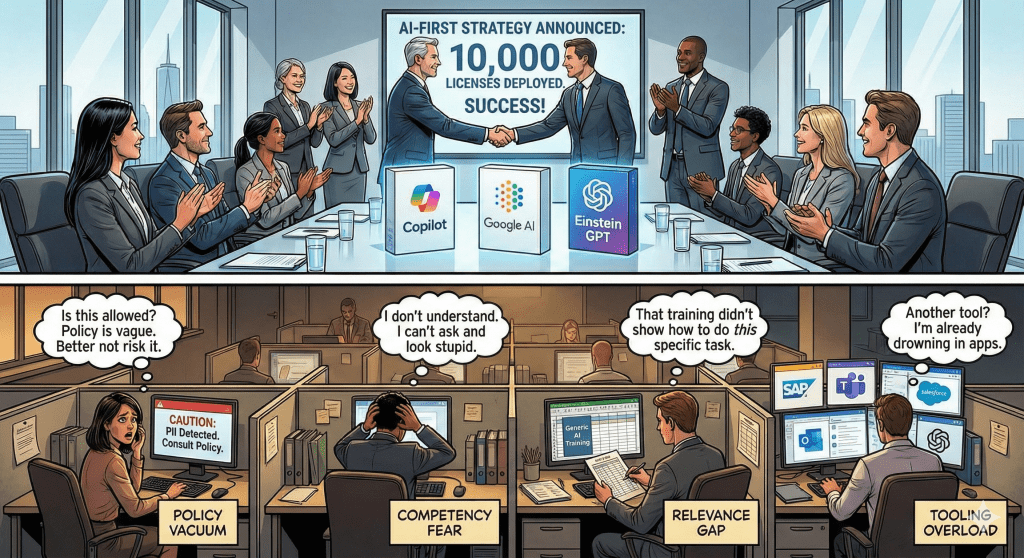
In my last article, I explained why most enterprises are stuck at 20% AI adoption despite millions spent on Copilot, Gemini, and Einstein.
The #1 barrier? Policy paralysis.
Employees aren’t avoiding AI because they’re lazy. They’re terrified of making a career-ending mistake.
A Finance Analyst won’t risk her job to find out if using Copilot for invoice reconciliation violates policy even if it saves her 10 hours a week.
Today, I’m sharing the policy framework that can unlock adoption.
No 47-page legal document. No vague “use responsibly” guidance.
Just a one-page decision tree that answers: “Can I use AI for THIS task?”
Why Traditional AI Policies Fail
Before we get to the solution, let’s understand why most policies create paralysis instead of clarity.
Failure Pattern #1: The Vague Policy
“Use AI tools responsibly. Do not share confidential or sensitive information.”
The problem: “Confidential” and “sensitive” are undefined.
Is a customer’s email address confidential? Probably.
Is a list of vendor names confidential? Maybe?
Is last quarter’s sales data confidential? Depends on who’s asking?
When the policy is vague, employees default to the safest interpretation: “Everything is confidential. I shouldn’t use AI for anything real.”
Failure Pattern #2: The Legal Document
Some enterprises create comprehensive AI governance policies. 47 pages. Cross-references to GDPR, CCPA, SOX, HIPAA. Definitions. Appendices. Review committees.
The problem: Nobody reads it.
And even if they do, they can’t translate “AI systems must comply with data minimization principles under Article 5(1)(c) of GDPR” into “Can I use Copilot to categorize these transactions?”
Failure Pattern #3: The “No Policy” Approach
Some organizations deploy AI tools with zero policy guidance, assuming employees will “use common sense.”
The problem: Common sense varies wildly.
One Sales Rep thinks using AI to draft proposals is obviously fine (it’s just sales content).
Another thinks it’s obviously prohibited (it contains customer names and pricing).
Without clear guidance, you get:
- Paralysis (people avoid AI entirely)
- Recklessness (people use AI inappropriately)
- Inconsistency (different teams have different standards)
All three outcomes are bad.
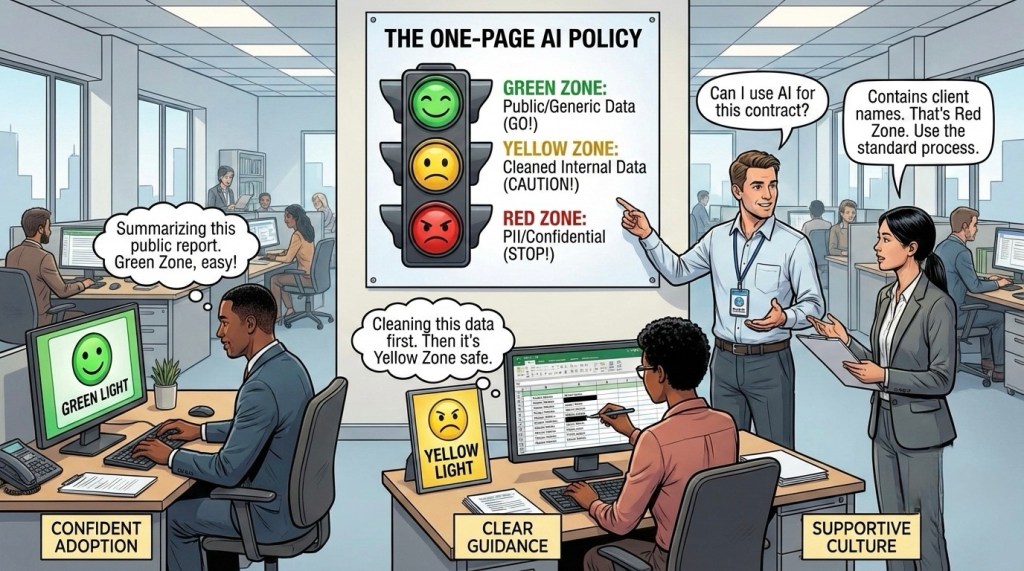
The Solution: The GREEN/YELLOW/RED Framework
To achieve high adoption rate use a simple traffic-light system that gives instant clarity.
GREEN ZONE: Always Safe
These are AI use cases that carry virtually zero risk. Employees can use AI for these tasks without asking permission.
Examples:
- Publicly available information (“Summarize this industry report from our website”)
- De-identified data (“Categorize these transactions” – after removing vendor names and account numbers)
- Process questions (“How should I format a variance report?”)
- Template requests (“Draft a professional email declining a meeting”)
- General analysis (“What are common reasons for invoice discrepancies?”)
- Grammar and tone improvement (“Make this email more concise”)
The principle: If the data is already public, anonymized, or generic, it’s GREEN.
YELLOW ZONE: Safe with Precautions
These are use cases that CAN be done safely, but require the employee to remove sensitive information first.
Examples:
- Internal company data that’s not customer/employee specific (“Analyze these department-level budget variances” – remove individual cost center details)
- Aggregated metrics (“What trends do you see in these anonymized sales figures?”)
- Process optimization (“Here’s how our approval workflow works” – remove employee names and specific dollar amounts)
The rule: YELLOW zone tasks are allowed IF you remove:
- Names (customer, employee, vendor)
- Email addresses and phone numbers
- Account numbers and IDs
- Specific dollar amounts (unless aggregated)
- Anything marked “Confidential” or “Internal Only”
The principle: The task is safe. The data needs cleaning first.
RED ZONE: Never
These are use cases where AI should not be used, period—regardless of how careful you are.
Examples:
- Customer PII (names, addresses, payment info, health data, SSNs)
- Employee personal information (salaries, performance reviews, disciplinary records)
- Confidential financial data (unreleased earnings, M&A plans, board materials)
- Proprietary algorithms or trade secrets
- Legal documents under attorney-client privilege
- Competitive intelligence marked “Confidential”
- Anything in your “Restricted Access” folders
The principle: Some data shouldn’t be processed by AI systems, even approved ones. Use traditional methods.
Making It Real: Department Examples
The traffic light system only works if employees can apply it to their actual work. Here’s how it translates:
Customer Success Team
GREEN ZONE:
- “Draft a professional response to a customer asking for a password reset” ✅
YELLOW ZONE (with data prep):
- “Customer is upset about a late delivery. Draft a response that apologizes and offers a discount” ⚠️
Before using: Describe the situation generically. Don’t paste the actual customer email with their name, company, and order details.
RED ZONE:
- “Here’s a customer complaint email – draft a response” [contains customer name, email, account info] ❌
Program/Project Management
GREEN ZONE:
- “Create a project kickoff meeting agenda template” ✅
YELLOW ZONE (with data prep):
- “Analyze this project timeline and identify critical path bottlenecks” ⚠️
Before using: Remove team member names, specific client names, and exact budget figures. Use “Team A,” “Client,” and budget ranges instead.
RED ZONE:
- “Summarize this executive steering committee deck marked ‘Confidential – Board Eyes Only’” ❌
The Pattern Across Departments
Notice the common thread:
GREEN = Public knowledge, templates, generic scenarios
YELLOW = Real work data after removing identifiers
RED = Anything with PII, confidential financials, or restricted documents
The question isn’t “Can I use AI?”
The question is “Have I prepared the data correctly for the zone it’s in?”
The Support Infrastructure
Policy alone isn’t enough. You need:
1. Policy Champion Network
Every department needs an AI Policy Contact who answers: “Can I use AI for this?”
- Not IT but someone who knows the work AND the policy
- 2-hour response SLA during business hours or earlier if possible
- Safe escalation path instead of paralysis
2. Real-World Examples Library
Build a living “Can I / Can’t I” document:
❌ Don’t: “Paste customer complaint email into Copilot”
✅ Do: “Customer upset about delayed shipment requesting refund. Draft response: 1) Apologize, 2) Explain refund process, 3) Offer expedited next order”
Update this library monthly based on new questions that come up.
3. Quarterly Policy Review
AI evolves. Your policy should too.
Review:
- Which use cases get high adoption vs. avoided?
- What edge cases emerged?
- Any close calls or violations?
- Can YELLOW/RED cases move to GREEN with better tooling?
Goal: Policy should enable confident usage, not create permanent restrictions.
First 30 Days Implementation
Here’s how to deploy the GREEN/YELLOW/RED framework:
Week 1: Build the Framework
- Assemble cross-functional team (Legal, IT, HR, Business Unit Leaders)
- Draft the one-page policy decision tree
- Create 20-30 real examples across departments
- Identify AI Policy Champions for each major department
Week 2: Test with Pilot Group
- Share draft policy with 20-30 employees across functions
- Ask them to evaluate their actual daily tasks: GREEN/YELLOW/RED?
- Collect questions and edge cases
- Refine policy based on feedback
Week 3: Launch Broadly
- Publish final one-page policy (intranet, Slack, email)
- Host 30-minute live Q&A sessions by department
- Introduce Policy Champions and response SLA
- Create #ai-policy-questions Teams/Slack channels
Week 4: Monitor and Iterate
- Track: Question volume, response time, policy confidence scores
- Weekly review of edge cases with Legal/IT
- Update examples library based on real questions
- Celebrate early wins (teams using AI confidently within policy)
The Metric That Matters
Don’t track logins or training completions.
Track: Policy Confidence Score
Survey: “On a scale of 1-10, how confident are you that you know what data you can/cannot use with AI?”
Target: 8+ average
When employees are confident:
- AI usage increases (fear decreases)
- Compliance improves (guidance is clear)
- Innovation accelerates (experimentation within boundaries)
Without policy confidence, you can’t get adoption. With it, adoption becomes natural.
This single metric predicts AI ROI better than any other measurement.
What’s Next
You now have the policy framework.
But policy alone isn’t enough.
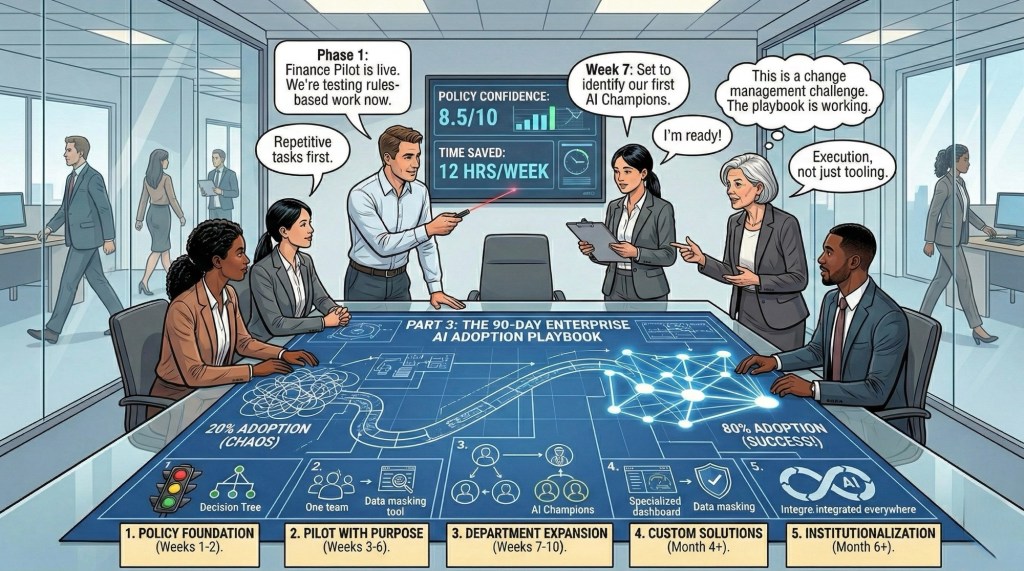
Next week (Part 3): The exact 90-day rollout plan for 20% to 80% adoption:
- Integration into existing workflows
- Role-specific “Quick Win” libraries
- Real implementation playbooks
- The 5-phase framework from pilot to scale
The difference between 20% and 80% adoption isn’t the technology.
It’s the system you build around it.
Your move: Does your organization have a clear GREEN/YELLOW/RED policy? If not, who’s the first person you’re looping in to create one? Let me know in comments
This is Part 2 of a 3-part series on Enterprise AI Adoption. Missed Part 1? Read it here. Subscribe to The Abhay Perspective here & on LinkedIn to get Part 3 next week: “From 20% to 80%: The 90-Day AI Adoption Playbook.”

 The Abhay Perspective
Leave a reply to Solving the AI Adoption Paradox: The 90-Day Playbook to 80% Adoption – The Abhay Perspective Cancel reply