
In 2025, one line was repeated so often that it almost became corporate folklore:
“AI will not take your job—but someone who uses AI will.”
While rapid advances in automation suggest this may not remain true indefinitely, it will almost certainly hold for most companies throughout 2026.
For me personally, this idea became a turning point.
It pushed me to stop treating AI as a curiosity and start treating it as a professional skill. What followed was a year of hands-on experimentation, failed attempts, small wins, deep dives, and eventually, writing about what actually worked in real operational contexts.
In a previous article I talked about “Corporate Vibewriting,” I discussed how operations leaders should embrace high-fidelity delegation and use AI for syntax generation rather than agonizing over email drafts or slide formatting.
But delegation only works if you know what to delegate—and to which tool.
As we gear up to welcome 2026, in this final edition of “The Abhay Perspective” of 2025, I want to share the tools that have genuinely boosted my productivity this year. These aren’t necessarily the only excellent tools available—they’re simply the ones I’ve tested extensively and found most helpful for various tasks.
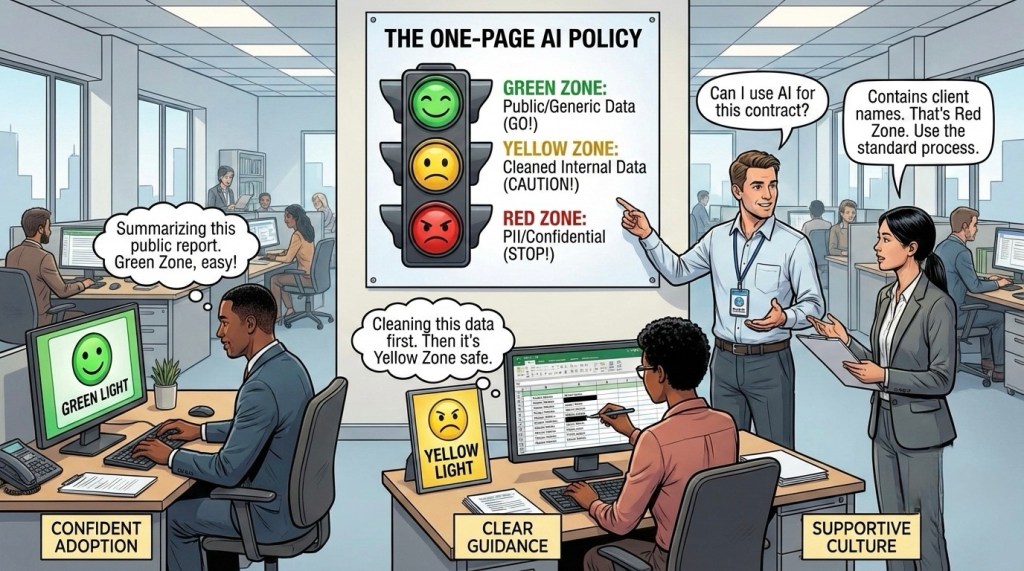
Important Disclaimer: Many companies restrict public AI tools while rapidly moving toward enterprise environments like Microsoft Copilot where your data remains protected. Before using these tools for work, always check your company’s AI policy and only use approved platforms.
Writing, Strategy & Analysis
Chatbots represent the most widely adopted AI category. Most of us have used or heard of them, but understanding where each excels makes all the difference.
ChatGPT & Gemini
Both platforms have served as my daily drivers throughout 2025. ChatGPT, powered by OpenAI’s latest models including GPT-5.2, and Google’s Gemini 3 Pro excel at general strategizing, draft writing, and comprehensive research. Recent updates have introduced powerful deep research features that can generate detailed reports.
Claude
Claude stands out for writing with a distinctly human touch. While ChatGPT and Gemini can both handle long-form articles and reports, Claude (now at version 4.5 Sonnet and Opus) brings a more natural, conversational quality to written content. Multiple comparisons confirm that Claude matches writing style better when given examples, avoiding ChatGPT’s tendency toward bullet points and Gemini’s sometimes verbose approach.
Grok
Because it has access to the X (Twitter) firehose, it’s unbeatable for analyzing real-time trends. Plus, if you need to inject some wit or “quips” into your writing, Grok’s “Fun Mode” is surprisingly good at breaking writer’s block.
Microsoft Copilot
Copilot is approved in most enterprise environments for employee AI usage. I use it extensively to draft official emails, summarize Teams meetings, and structure PPT decks based on internal Word docs.
Perplexity AI
Unlike the others, Perplexity isn’t a large language model itself but rather an AI-powered search engine that integrates multiple models. Its standout feature is providing specific, source-backed answers with reduced hallucination rates. It’s my go-to when I need search results with specific citations tied directly to queries.
Coding & App Development
Google AI Studio
While connected to Gemini, AI Studio’s “Build” space is specifically designed for “vibe coding”—building apps through simple prompts. I used it to create my first app, a nutrition tracker called TrackMacros, which I’ve been using successfully ever since.
However, let me be clear: vibe coding works brilliantly, but only with the right mindset and approach. (To know how I cracked the code, read my previous article: “Fitness apps annoyed me so I built my own”)
While you’ll find references citing Claude or ChatGPT’s latest version as the best coding model or other tools like Replit or Cursor for vibecoding. I believe Google AI Studio is the best entry point for an Ops leader who just wants to prototype an idea without setting up a development environment or for a non-technical beginner who as it provides simple instructions and a lot of templates to start your journey.
Research & Document Analysis
NotebookLM
While ChatGPT and Gemini both offer deep research functions, Google’s NotebookLM deserves special attention. It operates as a RAG-based (Retrieval Augmented Generation) system where you upload your own documents or instruct it to find sources online.
These become the primary source material for a chat interface where you can ask specific questions. Think of it as a copilot focused exclusively on your specified sources, dramatically reducing hallucinations.
NotebookLM’s standout feature is its ability to generate audio or video overviews of your documents, videos, and links. It creates these as engaging podcast-style conversations between two AI hosts or storybooks as needed. You can choose from multiple formats:
- Deep Dive: Comprehensive 7-15 minute discussions
- Brief: Quick 90-second summaries highlighting key points
- Critique: Constructive feedback on your material
- Debate: Different perspectives on the topic
Recent updates introduced an interactive mode where you can join the conversation and ask the AI hosts questions in real-time. From the desktop version, you can even participate via audio.
Beyond overview, NotebookLM generates flashcards, quizzes, infographics, mind maps, timelines, and complete slide decks based on your documents. The free version supports up to 50 sources (500,000 words each), while the pro version extends this to 300 sources.
The “Abhay Hack”: I use Gemini to research a topic and generate a deep-dive Whitepaper. I then feed that Whitepaper into NotebookLM and generate an Audio Overview (Podcast). I listen to this during my commute. It turns dead time into learning time.
Presentation Building
Gamma AI
Gamma has been the most impressive presentation tool I’ve discovered this year. While most LLMs can now generate basic text-based slides, Gamma creates complete presentations with proper visual design from your prompts.
However, remember the fundamental rule: “Garbage in, garbage out.” Without properly structured instructions and clear outlines, results will disappoint.
My workflow leverages multiple tools for optimal results:
- I input all my ideas and relevant data into ChatGPT or Gemini
- I ask these models to prepare a detailed prompt for Gamma, specifying the exact number of slides, color scheme, and image requirements
- I feed this structured prompt to Gamma, which then generates presentations matching my precise requirements
This multi-step approach ensures I provide Gamma with specific, detailed instructions that consistently produce the desired outputs.
Getting Started with AI in 2026
For anyone beginning their AI journey in 2026, these tools provide a comprehensive foundation for understanding AI’s capabilities. With practice, they’ll give you the competitive edge increasingly necessary in today’s AI-driven workplace.
Nearly all these tools offer free versions suitable for most users. My rule of thumb: if I consistently hit usage limits on the free version, the subscription becomes worthwhile. Otherwise, I continue using them free.
I hope this guide proves helpful. Feel free to message me if you’d like to know more about these tools or if there are others you’d like me to explore.
Wishing you all a very Happy New Year!
Found this useful? I’ll be breaking down more practical strategies for operationalizing AI in future editions of The Abhay Perspective. Subscribe below & also to my Newsletter on LinkedIn to get more such updates

 The Abhay Perspective
Leave a comment